reverso-releases
Reverso - Download
Reverso turns camera scans of film negatives into positives. It finds the frame, inverts the negative, balances the colours and turns each picture the right way up, for a whole roll at a time.
Windows only (64-bit).
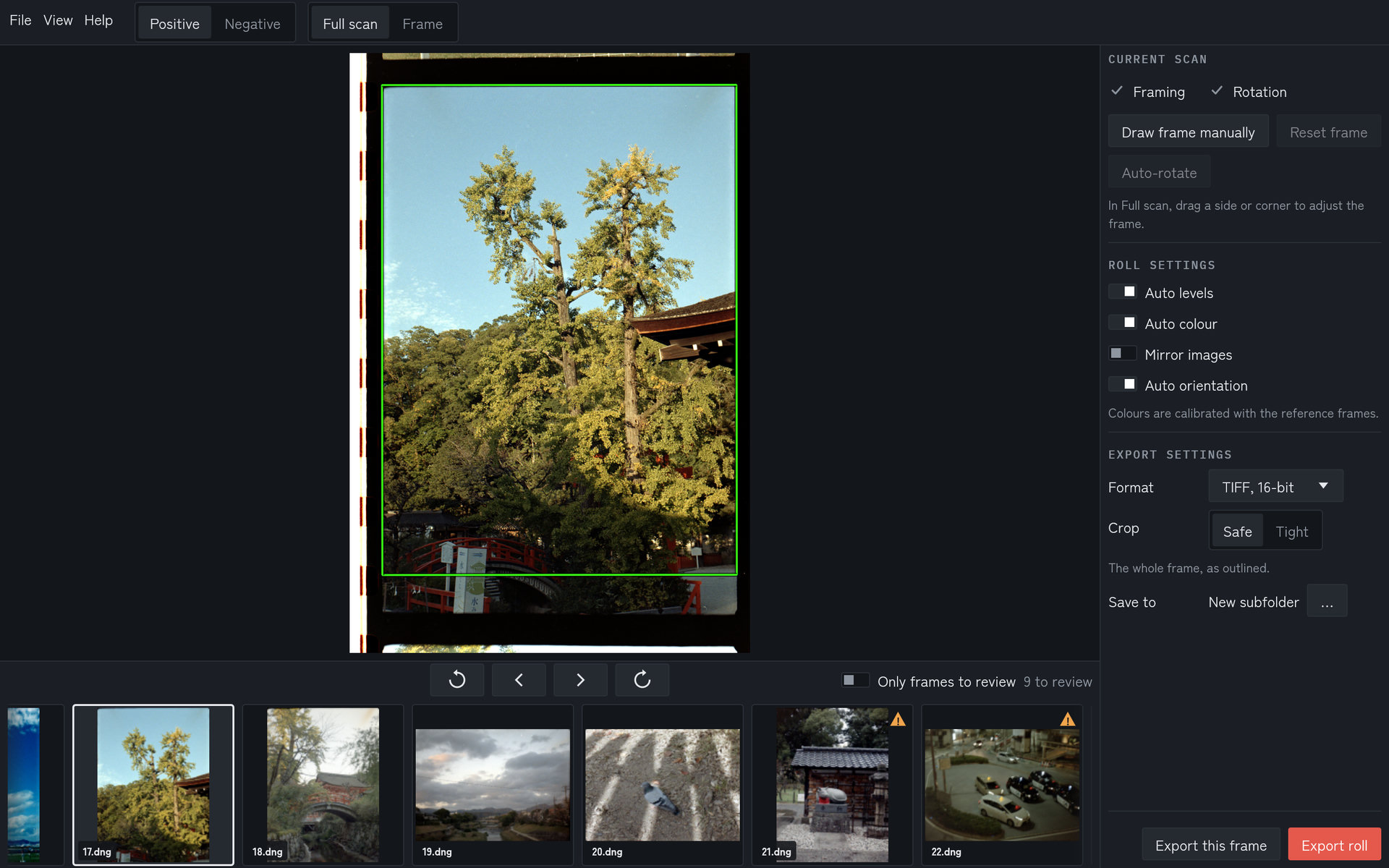
Each scan is inverted, framed and turned upright automatically, with the whole roll in the strip below.
Negative and frame views
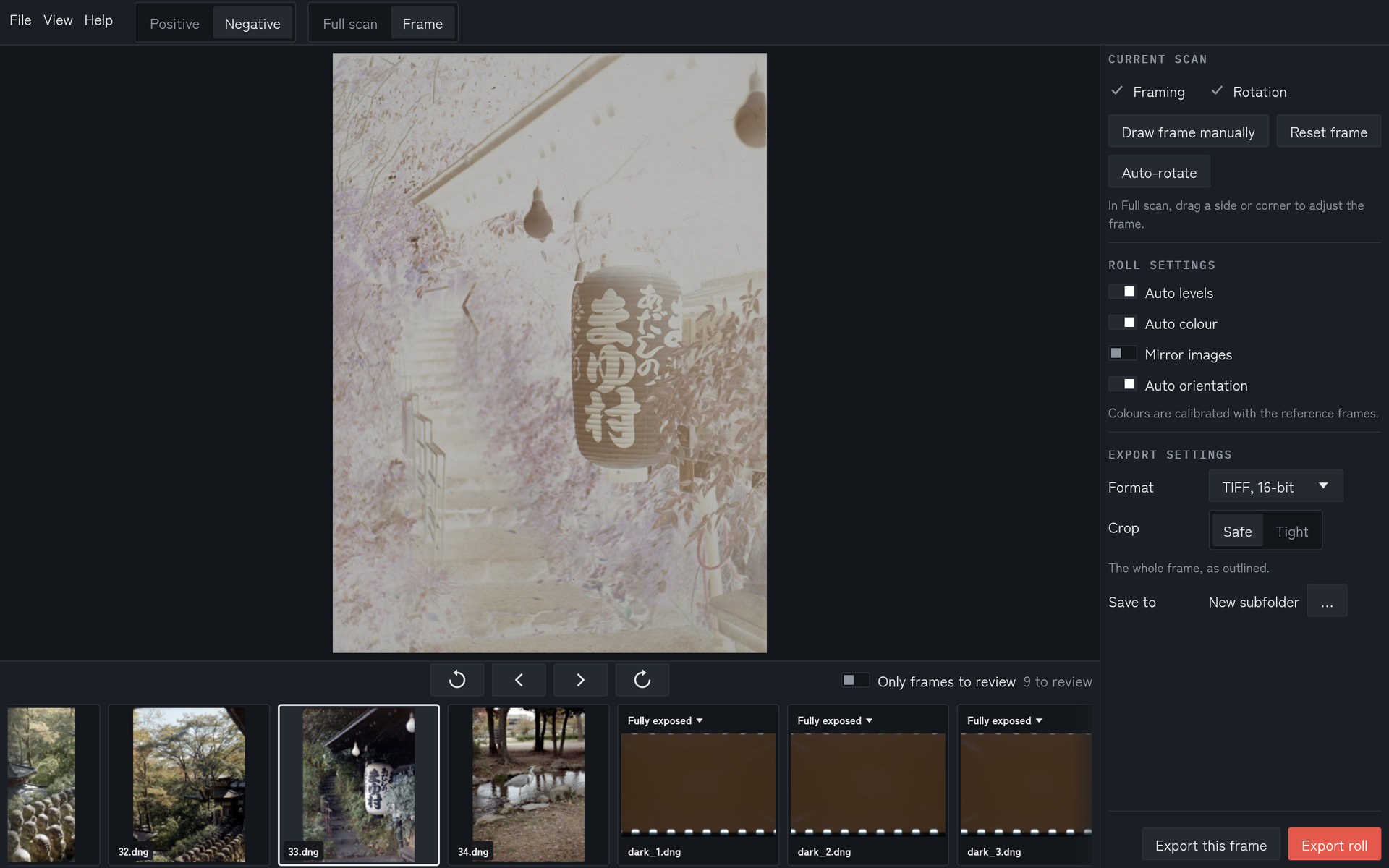
Switch between the negative and the positive, and between the full scan and the cropped frame. Reference frames sit at the end of the roll.
Reference frames
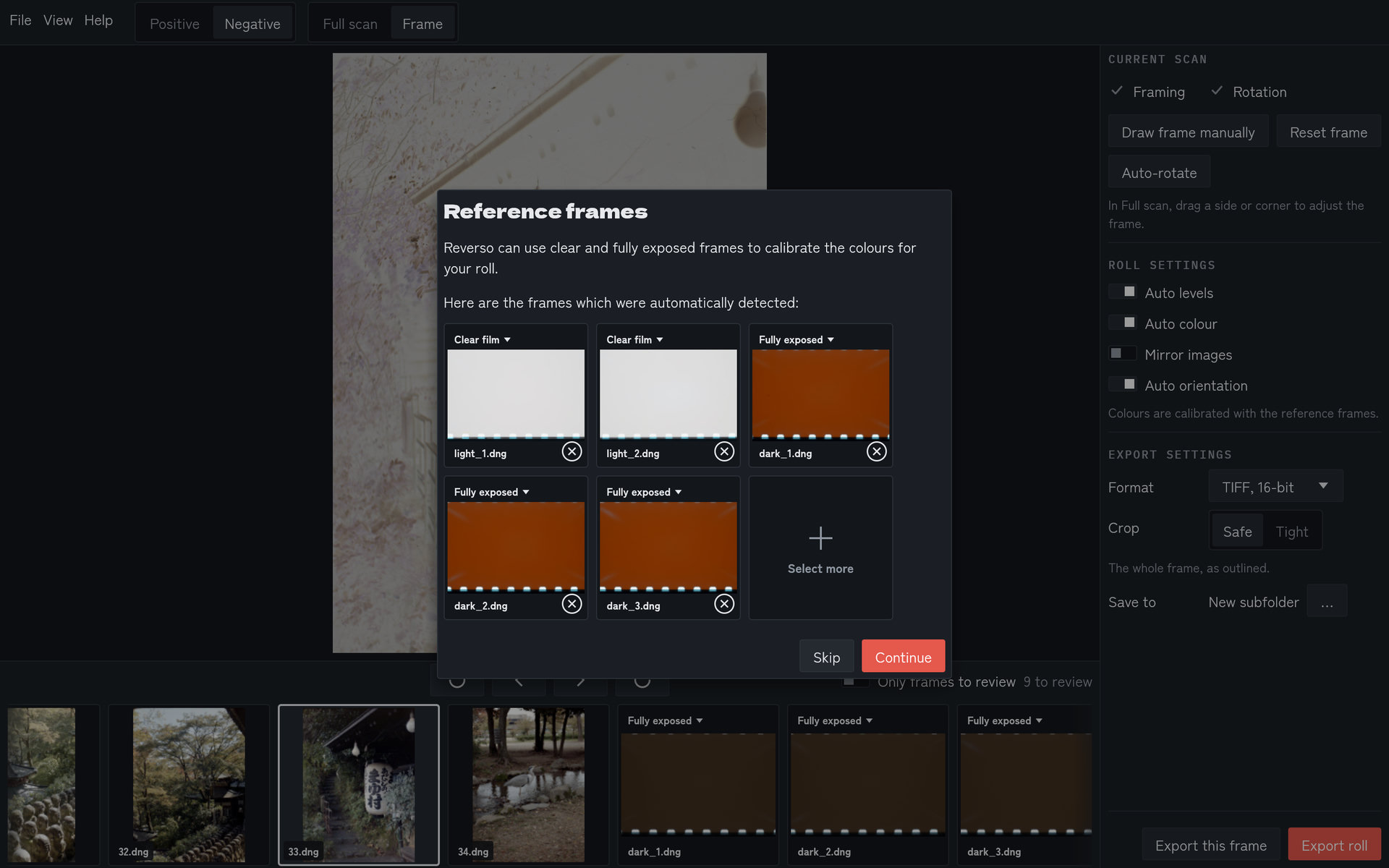
Reverso finds the clear-film and fully exposed frames by itself and uses them to calibrate the roll’s colours.
Download
- Open Releases and download
reverso-<version>-windows-x64.exe. - Run it. Windows may warn that the app is from an unknown publisher; choose More info → Run anyway.
Licences for the software Reverso is built with are under Help → About Reverso.